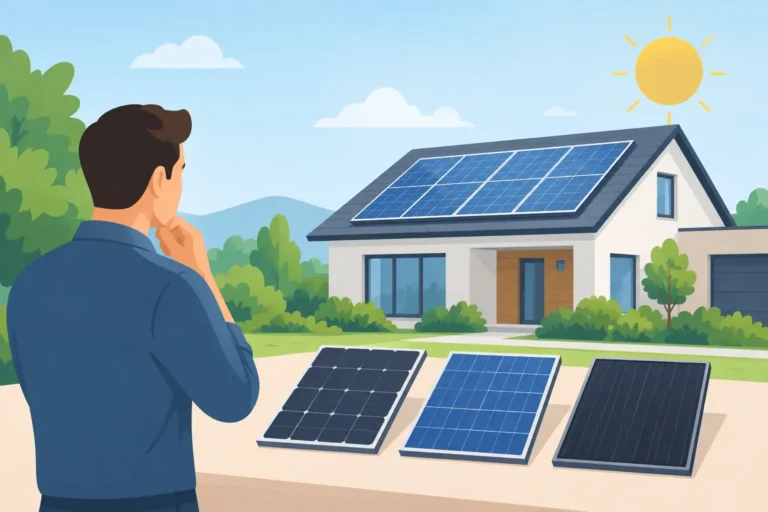
Your solar panels may be generating valuable electricity while you are at work, charging an EV or running the washing machine. Knowing how to check solar generation gives you a clear view of what your system is producing, what your property is using and whether more of that energy could be saved in a battery rather than exported to the grid.
For most homes and small businesses, this takes only a few minutes once you know where to look. The key is to read the right figure at the right time. A bright afternoon, for example, tells you very little about annual performance on its own.
How to Check Solar Generation Day to Day
The simplest place to start is your solar inverter or its monitoring app. Most modern systems show a live generation figure in kilowatts (kW), along with the total energy produced that day in kilowatt-hours (kWh). The live number tells you what the panels are producing at that moment. The daily total tells you how much usable solar electricity has been generated since midnight.
If your inverter has a display, it will usually cycle through several readings. Look for a solar or PV symbol and figures labelled as power, output, yield or energy. The terminology varies by manufacturer, but the distinction matters: kW is the current rate of production, while kWh is the accumulated amount of electricity produced over time.
A monitoring app is normally more useful because it lets you compare today with previous days, weeks and months. Depending on your equipment, it may also show household consumption, battery charging and discharging, and grid import or export. This fuller picture helps you see whether solar energy is being used where it delivers the greatest value.
Do not rely only on an electricity supplier smart meter display to check solar generation. It can confirm electricity imported from, and sometimes exported to, the grid, but it does not always show the total power your panels have produced. Solar electricity used immediately in the property never reaches the grid meter, so it will not appear as exported energy.
What a Healthy Solar Reading Looks Like
There is no single correct daily generation number. Output depends on panel size, roof orientation, shading, location, weather, season and the time of day. A 4 kWp system on a clear June day can generate several times more than the same system on a short, overcast December day. That seasonal difference is normal, not a fault.
Your system rating also needs interpreting correctly. A 4 kWp array is rated for peak output under standard test conditions. Seeing 3.2 kW on a warm, sunny day may be entirely reasonable. Seeing the full 4 kW is possible, but not guaranteed, because real roofs experience changing sunlight, panel temperature and atmospheric conditions.
Instead of judging performance from one snapshot, compare similar days. Look at this week against the equivalent week last year, or compare several clear days in the same month. Your app’s historical graphs are valuable here. A sudden sustained fall in production deserves attention; a lower reading on a cloudy day does not.
It is also worth checking when your system generates most strongly. South-facing panels tend to produce most around the middle of the day. East- and west-facing arrays may have a lower peak but a longer generation window, which can suit households with morning and late-afternoon demand. Neither arrangement is automatically better. The useful measure is how well the generation profile matches how your property uses electricity.
Check Generation Against What You Use
Producing solar electricity is only one part of the picture. To reduce purchased electricity, your home or business needs to use that power as it is generated, store it in a battery, or divert it to a worthwhile load such as an EV charger or immersion heater.
A good monitoring screen separates energy into four flows: solar generation, property consumption, battery activity and grid import or export. If the panels are generating 3 kW and the building is using 1 kW, the remaining 2 kW will normally charge the battery first if one is fitted and has capacity. Once the battery is full, surplus energy is exported unless another controlled load is available.
This is why a strong solar generation figure does not always mean the lowest possible bill. A property can generate plenty at midday yet import electricity every evening when demand rises. A correctly specified battery can move some of that surplus into the evening period, improving self-consumption and providing a useful layer of resilience. The right capacity depends on your generation, overnight use, tariff and whether you want emergency power or full house backup during a grid outage.
For a useful monthly check, note three figures from your monitoring platform: total solar generation, electricity imported from the grid and electricity exported. This reveals whether changes in your routine could make better use of the energy already available. Running a dishwasher, washing machine or EV charge during solar hours may help, provided it is safe and convenient to do so.
A Simple Monthly Solar Check
Choose one day each month to review the system rather than repeatedly checking it without context. Start with the total kWh generated for the previous month and compare it with the same period last year, allowing for noticeably different weather. Then review daily graphs for any unexplained gaps or flat lines during daylight hours.
Next, check the inverter status. A healthy inverter should show normal operation or generation while there is adequate daylight. Warning messages, a red indicator light or a repeated connection fault should be recorded, preferably with a screenshot from the app. Avoid resetting equipment repeatedly in the hope that the issue will disappear. The message can help an installer identify the cause quickly.
Finally, look at physical conditions from the ground. New scaffolding, building work, tree growth, debris or an aerial shadow can affect output. Do not climb onto the roof or remove electrical covers yourself. Solar PV equipment contains DC cabling and can remain live whenever daylight reaches the panels, even if the inverter has stopped generating.
When Lower Output May Signal a Fault
A noticeable drop in output can have several causes. Some are temporary, such as heavy cloud, snow, dirt following a long dry spell or new shading. Others need professional investigation, including an inverter fault, failed optimiser, damaged cable, tripped isolator, communication issue or a problem within the consumer unit connection.
Check first whether the app itself has lost its internet connection. A monitoring app can stop updating even while the solar system continues to generate normally. Compare the app status with the inverter display if it is safe and accessible. If both show no production on a bright day, or the inverter shows a warning, contact a qualified installer or electrical contractor.
Do not assume panels need regular cleaning. In the UK, rainfall usually removes ordinary surface dust from suitably angled panels. Cleaning may be justified where there is clear, persistent soiling from birds, nearby industry or a particular local condition, but it must be assessed safely. Roof access, panel glass and cable routes all need care. Poor cleaning methods can create more risk than benefit.
Get More Value From the Data
Solar monitoring is most helpful when it supports practical decisions. You may find that your EV is charging from the grid before the strongest solar period, that a battery reaches full charge too early, or that high household demand is regularly occurring after sunset. These patterns can inform charger schedules, battery settings and everyday routines.
If you are planning an extension, new heat pump, EV charger or battery storage, your existing generation data is equally useful. It gives a clearer starting point than an estimate alone. An experienced installer can use it alongside a site survey, electrical capacity checks and your future energy needs to specify a system that works safely as a complete installation.
A few minutes spent checking generation each month can protect your savings and provide early warning when something changes. If the figures no longer make sense, Home EESS can help assess the solar, battery and wider electrical system properly, so you can keep using your energy with confidence.